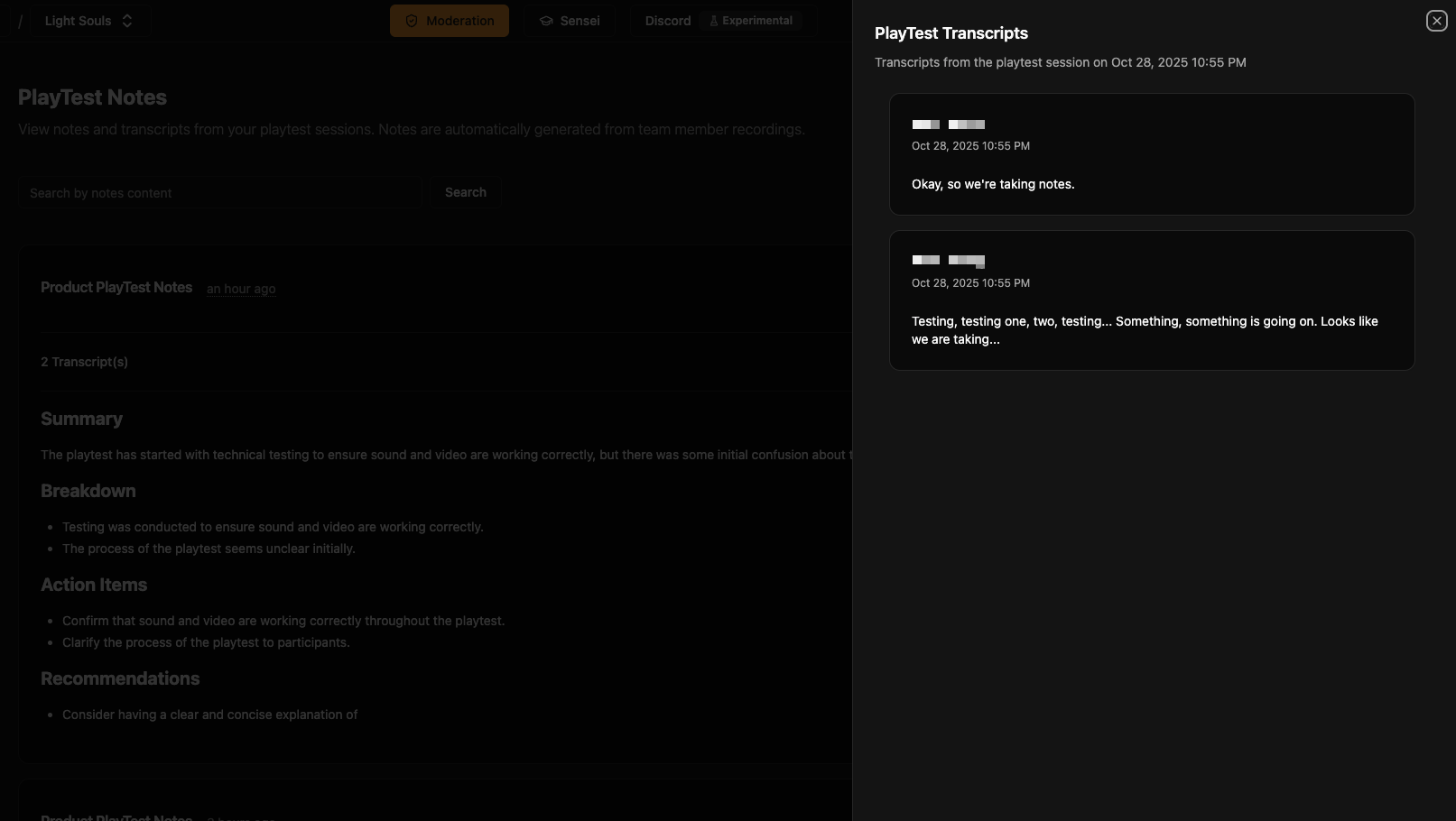
Playtest Notes
A major part of game development is doing play tests. In platforms like VR, it can be especially cumbersome to take notes while doing your playtests. PlaySafe allows you to easily take PlayTest notes and automatically summarizes your conversations into actionable meeting notes.
Setting up Notes
Setting up your PlaySafe account to take PlaySafe notes is relatively straightforward.
1. Add your team members to PlaySafe
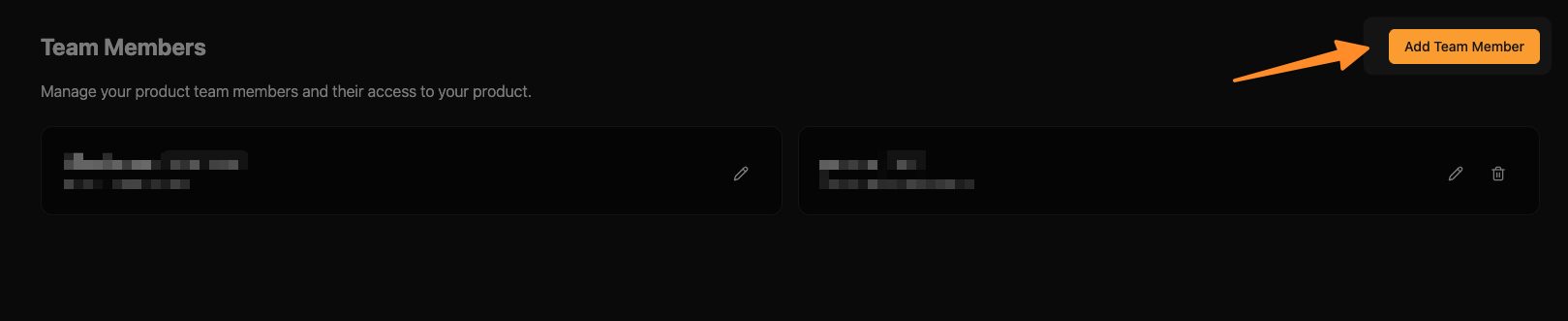
Navigate to your PlaySafe Team Members page and click on the "Add Team Member" button.
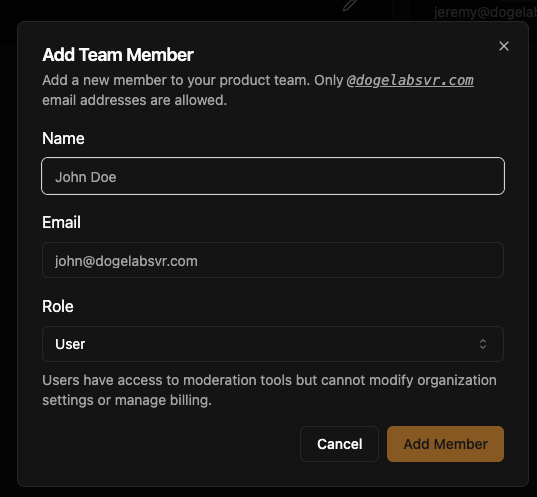
Fill in the team member's details in the form that appears:
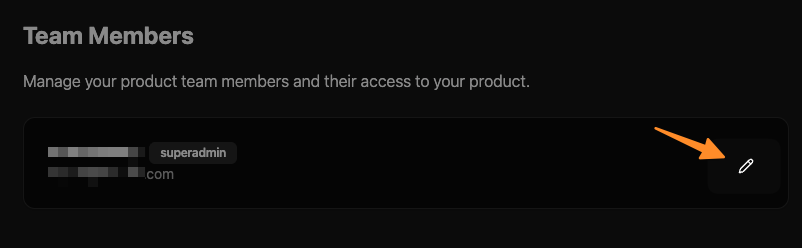
You can also edit existing team members by clicking on the edit icon:
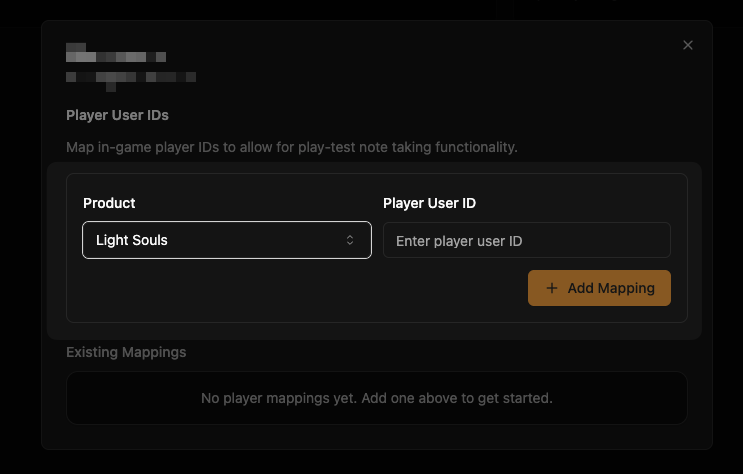
2. Map your team members to their player user ids
This serves the additional function of marking you as a dev, which allows them record playtest notes while playing.
Once you have added your team members, map them to their in-game player user IDs:
3. Implement Play test note taking in Unitty
PlaySafeManager exposes a method called StartTakingNotesAsync() & StopTakingNotesAsync() that start and end taking notes.
Internally, this handles all the checks for whether the current player is a dev and whether or not they have the authority to start taking notes.
Start Taking notes
In general, you should call StartTakingNotesAsync() when you get into the PlayTest (or by manually triggering it with a dev specific UI element). Once you start taking notes, your PlaySafe dashboard will have a new notes card with an "Ongoing" pulsating badge.

Example implementation:
// ... rest of the code
public async StartTakingNotes()
{
  await playSafeManager.StartTakingNotesAsync();
}
Stop Taking notes
In general, you should call StopTakingNotesAsync() when you are done with the playtest / about to exit the playtest.
PlaySafe will attempt to automatically stop taking notes if no notes were taken in a while after starting taking notes. If this happens, you will need to invoke the StartTakingNotesAsync() method again to start taking notes.
Example:
// ... rest of the code
public async StopTakingNotes()
{
  await playSafeManager.StopTakingNotesAsync();
}
Viewing notes in the UI
When you stop taking notes, a summary with actionable insights is generated & all transcripts (with proper attribution) are available in your PlaySafe PlayTest notes page.
You can view all your existing playtest notes:
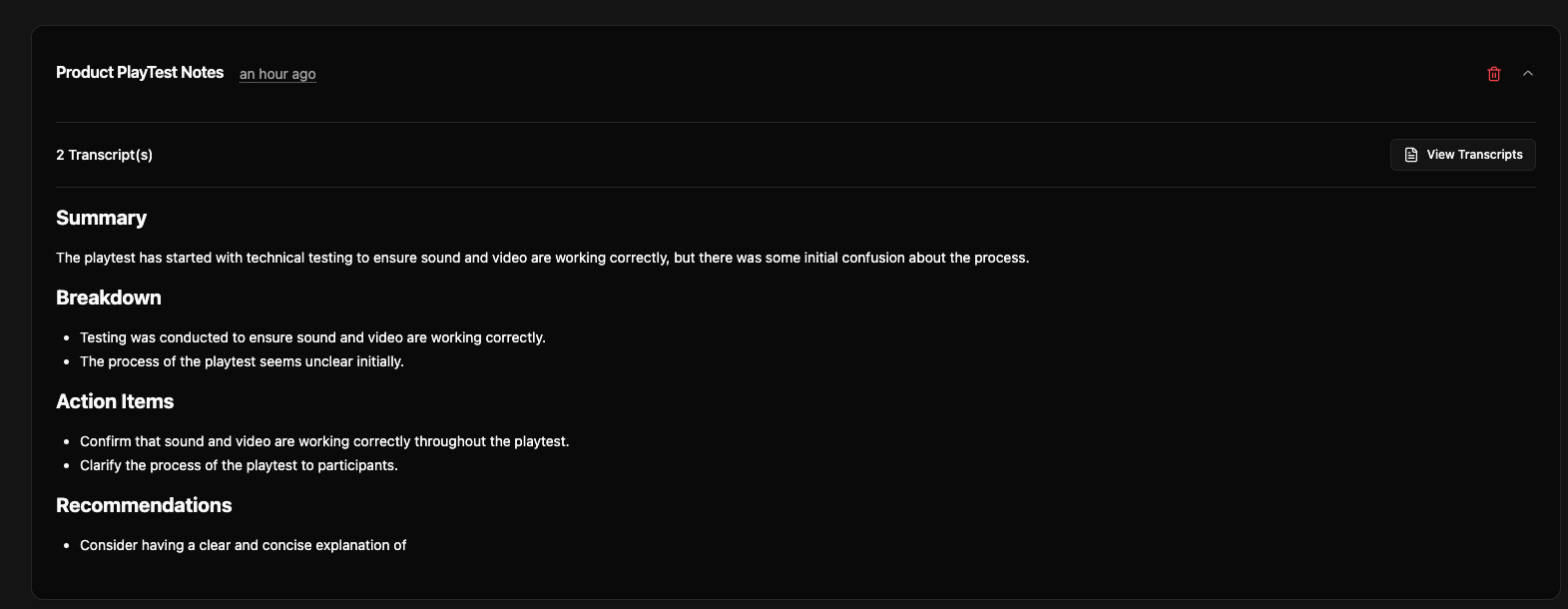
Click on any note to view the full transcripts and actionable insights: